
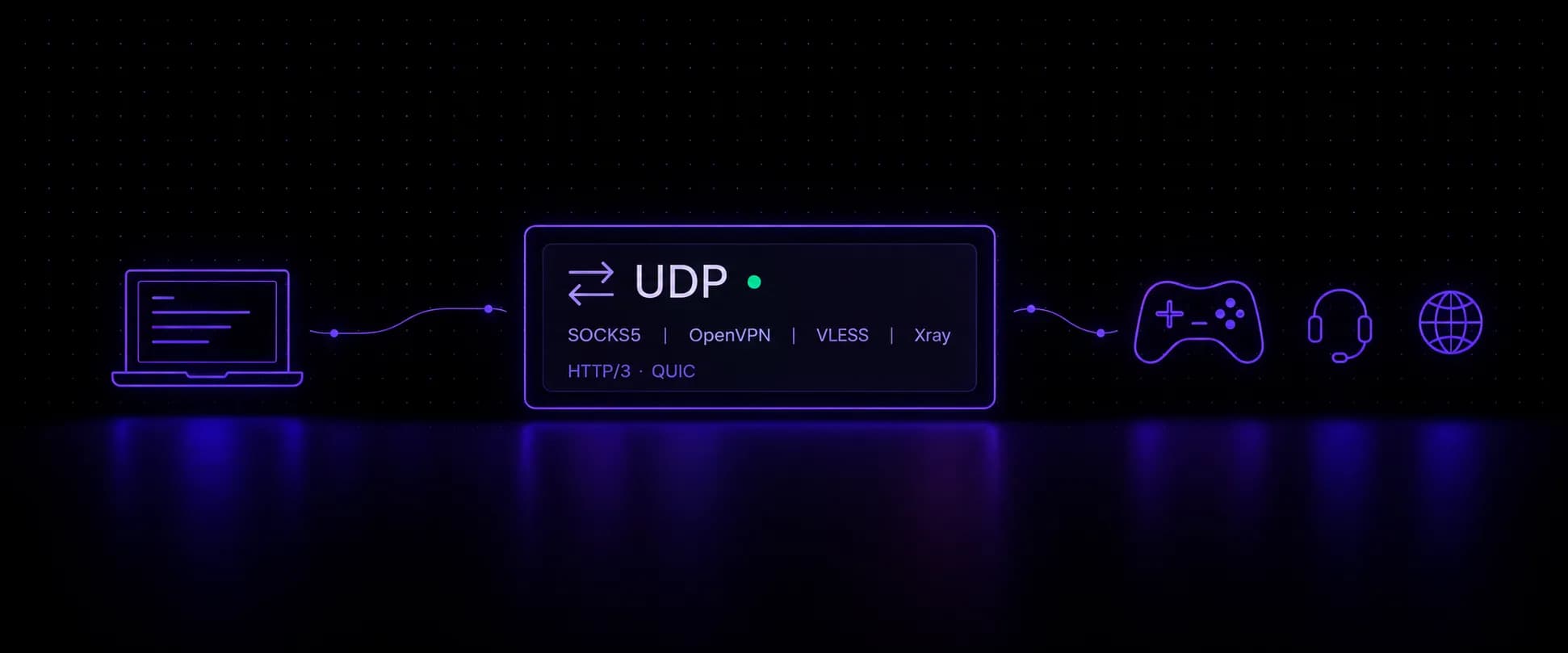
A UDP proxy relays UDP datagrams between your device and a target, so the target sees the proxy's IP instead of yours. Most proxies cannot do it: HTTP proxies tunnel TCP only, so games, calls, DNS lookups and HTTP/3 traffic either fall back to TCP or skip the proxy entirely. SOCKS5 can carry UDP, but only when the provider enables it and the client actually sends its UDP through. Good UDP proxies check all three boxes, then add an IP that the target trusts.
Key takeaways
- HTTP and HTTPS proxies are TCP only. SOCKS5 carries UDP through a command called UDP ASSOCIATE, when the provider turns it on.
- Browsers are the weak link: Chrome's SOCKS5 support is TCP only, so QUIC and WebRTC fall back to TCP unless a tunnel client routes the UDP.
- UDP matters for HTTP/3 and app traffic, voice and video calls, gaming, DNS and streaming.
- A SOCKS5 UDP association lasts only as long as its TCP control connection, and a call or match breaks if its exit IP changes mid-session. Use sticky sessions.
- VoidMob shared mobile proxies now relay UDP over SOCKS5, so QUIC reaches HTTP/3 targets. Dedicated devices add OpenVPN, and Premium adds VLESS.
The Best UDP Proxies Compared
Seven providers, checked against each one's own documentation as of October 2026. A check means the provider says its mobile proxies relay UDP:
| Provider | UDP on mobile | Where UDP works | Best for |
|---|---|---|---|
| VoidMob | Every plan, shared and dedicated, over SOCKS5 | UDP on carrier IPs with nothing to set up, plus tunnels on dedicated | |
| Oxylabs | Mobile, on a separate SOCKS5 endpoint | Mobile UDP for teams already on Oxylabs | |
| SOAX | Mobile and residential | UDP on both mobile and residential IPs | |
| iProxy.online | SOCKS5 UDP on every plan; OpenVPN and WireGuard on Pro | Turning your own Android phones into proxies | |
| IPRoyal | Not listed | ISP and datacenter | UDP on static ISP IPs |
| Decodo | No | ISP and datacenter; mobile is listed as TCP | TCP mobile work such as scraping |
| ProxyEmpire | No | Not on any proxy type | Rotating mobile IPs for web traffic |
Sources: Oxylabs, SOAX, iProxy.online, IPRoyal, Decodo and ProxyEmpire. Whichever you pick, test the relay with the script further down before you rely on it.
What Is a UDP Proxy?
UDP is the connectionless sibling of TCP. It sends datagrams without a handshake or delivery guarantees, which is why real-time traffic uses it: a late voice packet is worthless, so retransmitting it only adds delay. QUIC, the transport under HTTP/3, also runs on UDP and handles reliability itself.
UDP proxies, also called UDP-enabled proxies, forward those datagrams for you. Each datagram reaches the proxy, leaves for the target from the proxy's IP, and any reply comes back the same way. Without UDP enabled, a proxy can only carry TCP connections, so any UDP your apps send either fails or leaves through your own connection.
How a UDP Proxy Server Works
SOCKS5 is the common proxy protocol with a UDP mode, defined in RFC 1928 back in 1996. Any UDP proxy server built on it works in four steps:
- Your client opens a TCP control connection to the SOCKS5 server and authenticates, usually with a username and password.
- It sends a UDP ASSOCIATE request, command X'03' in the spec, and the server replies with an address and port for its UDP relay.
- Each datagram goes to that relay port, wrapped in a small header that names the real destination address and port.
- That relay forwards it from the proxy's IP and wraps replies the same way on the way back.
One rule in the spec shapes how UDP proxies behave in practice: a UDP association ends when the TCP control connection that created it closes. If that connection drops, or the provider moves you to a new IP mid-session, the UDP flow breaks with it.
Which Proxy Protocols Carry UDP
Proxy protocols split cleanly on UDP. Only a few carry it at all, and they differ on encryption and client support:
| Protocol | Carries UDP | Encrypted | Typical client | Catch |
|---|---|---|---|---|
| HTTP / HTTPS (CONNECT) | No, TCP only | HTTPS only to the proxy | Browsers, scrapers, curl | QUIC and calls fall back to TCP |
| SOCKS4 | No | No | Legacy apps | TCP only, no password auth |
| SOCKS5 | Yes, via UDP ASSOCIATE | No | sing-box, tun2proxy, PySocks, some games | Provider must enable it; most browsers skip it |
| OpenVPN / WireGuard | Yes, all device traffic | Yes | VPN clients | Whole-device tunnel, easy for DPI to spot |
| VLESS / Xray | Yes | Yes, with TLS or Reality | Xray and sing-box clients | Needs a compatible client |
| CONNECT-UDP (RFC 9298) | Yes | Yes | Few, mostly MASQUE-based services | Rare in proxy products so far |
For most buyers, the practical answer is a SOCKS5 proxy with UDP support. It uses the same credentials as the TCP side and works with any client that speaks UDP ASSOCIATE. Support varies by plan: some providers relay UDP only on certain proxy types, others route it through a separate endpoint or their support team, so check the plan you are buying, not just the provider.
Why Your Browser Ignores the UDP Proxy
Turning on UDP at the proxy is half the job. Your client also has to send its UDP through the proxy, and browsers mostly do not. Chromium's proxy documentation is blunt about it: "In Chrome SOCKSv5 is only used to proxy TCP-based URL requests. It cannot be used to relay UDP traffic." A Chrome-based browser on a SOCKS5 proxy therefore loads sites over HTTP/1.1 or HTTP/2 through TCP, never QUIC.
WebRTC follows the same pattern. Chromium's "disable non-proxied UDP" policy makes WebRTC use TCP on the public interface and send UDP only if a configured proxy supports it. Since Chrome's SOCKS5 cannot relay UDP, the setting keeps your real IP out of WebRTC by falling back to TCP through the proxy rather than relaying UDP. Our WebRTC leak test shows what your browser exposes either way.
To push real UDP through a proxy, use a client that implements UDP ASSOCIATE. sing-box enables both TCP and UDP on its SOCKS outbound by default, and tun2proxy routes a whole device's traffic, UDP included, through a SOCKS5 proxy. Python's PySocks also handles it, which makes for a quick check that a provider's UDP relay works:
1# pip install pysocks2import socket3import struct4 5import socks6 7def dns_query(name):8 header = struct.pack(">HHHHHH", 0x1234, 0x0100, 1, 0, 0, 0)9 labels = b"".join(bytes([len(p)]) + p.encode() for p in name.split("."))10 return header + labels + b"\x00" + struct.pack(">HH", 1, 1) # A record, IN11 12sock = socks.socksocket(socket.AF_INET, socket.SOCK_DGRAM)13sock.set_proxy(socks.SOCKS5, "proxy.voidmob.com", 10000, rdns=False,14 username="<list-username>", password="<list-password>")15sock.settimeout(10)16 17sock.sendto(dns_query("example.com"), ("1.1.1.1", 53))18reply, _ = sock.recvfrom(512)19print("UDP relayed:", len(reply), "bytes, answers:", struct.unpack(">H", reply[6:8])[0])This script sends a DNS query, which is plain UDP, through the SOCKS5 relay. One or more answers in the reply means UDP works end to end. An error at the UDP ASSOCIATE step means the provider has UDP switched off. A timeout means no reply came back: the relay may not forward UDP, the provider may limit which ports you can reach, or a local firewall may block outbound UDP.
UDP Proxy Use Cases
HTTP/3 and App Traffic
QUIC carries a large share of mobile app traffic. Facebook (now Meta) reported in October 2020 that "more than 75 percent" of its internet traffic used QUIC and HTTP/3, after rolling QUIC out to the Facebook and Instagram apps. Apps running on cloud phones or emulators behind a TCP-only proxy either fall back to TCP or send that UDP outside the proxy, so the account's traffic splits across two networks. With a UDP-enabled proxy, all of it stays on one IP.
Voice and Video Calls
WebRTC, VoIP and conferencing apps prefer UDP for audio and video. Through a TCP-only proxy they fall back to relayed TCP, which adds delay and jitter. SOCKS5 UDP relays and VPN-style tunnels keep calls on UDP while hiding the real IP.
Gaming
Most multiplayer games send their match traffic over UDP, so a TCP-only proxy covers the launcher and store but not the match itself. Any proxy adds a hop, so the server's distance from the proxy matters more than the proxy itself. Our guide to proxies for gaming covers when a proxy helps and when it only adds ping.
DNS
DNS lookups are UDP. Without UDP support, a proxied app may still resolve names through your own network, which leaks your location and can contradict the proxy's IP. Routing DNS through the relay, or letting the proxy resolve hostnames, keeps lookups on the same network as the traffic.
Streaming
Video sites that serve over HTTP/3 send their streams over UDP, while internet IPTV mostly streams over HTTP on TCP, so a UDP proxy changes little there. The "UDP proxy" field in routers and IPTV players is something else: udpxy, a local relay that turns an ISP's multicast channels into HTTP streams. Our guide explains what TiviMate's UDP proxy setting does.
Searches for a udp-proxy tool sometimes mean something else again: a reverse proxy in front of your own game or DNS servers. nginx's stream module and Envoy both do that job. Everything else on this page is about forward proxies that change your outgoing IP.
How to Choose the Best UDP Proxies
Seven checks separate the best UDP proxies from the rest:
- Working UDP ASSOCIATE. Test it with a script like the one above before committing to a plan.
- Authentication on the relay. The UDP side should require the same login as the TCP side.
- Sticky sessions. UDP flows need one IP for their whole life, since rotating ends the association.
- Clear billing. Check whether UDP bytes count against your plan like TCP, or cost extra.
- Gateway location. Every hop adds latency, so a gateway near your client matters for real-time traffic.
- An IP type that fits the target. For raw ping, a nearby datacenter relay is hard to beat. When an app or platform scores the IP, a mobile carrier IP is the safer choice.
- Encryption when it matters. SOCKS5 UDP is plaintext between you and the proxy. Sensitive traffic belongs in OpenVPN, WireGuard or VLESS.
Do not rotate mid-session
A per-request rotating pool can send each new connection out through a different IP, so a game or call that reconnects shows up from a new address, and the server may drop it. Run calls, games and app sessions on a sticky session or a dedicated device, and rotate between sessions.
UDP on VoidMob Mobile Proxies
VoidMob shared and dedicated plans both carry UDP, each for a different job.
Shared pay-per-GB plans. The SOCKS5 side of every rotating mobile proxy list, and of the Flex gateway (the API option), relays UDP on the same host, port and login as HTTP. Point a UDP-capable client at the socks5:// string and QUIC reaches HTTP/3 targets through carrier IPs; the HTTP mode stays TCP only. UDP traffic bills from the same GB balance as everything else. Lists rotate per request by default, so set the list to Sticky for calls, games and app sessions. Sticky lists keep one exit IP per gateway region, and proxy.voidmob.com connects you to the nearest of the four regions automatically. If you buy UDP proxies for app traffic, scraping over HTTP/3 or calls at volume, this is the plan to start on, and a GB costs the same whatever the exit country:
Mobile proxy pricing
Shared pools from $3.99/GB, dedicated devices from $49/mo.
Prices updated
Dedicated mobile devices. A dedicated mobile proxy puts you on your own mobile device, with HTTP connection details and a SOCKS5 port where the device has one. Both dedicated tiers carry TCP and UDP, and each device also comes with an OpenVPN config for apps that cannot speak SOCKS5 UDP, so a whole device or game client can tunnel through it. Traffic is unmetered, and the IP rotates on demand or automatically. For the lowest latency, run your client in the same region as the device.
Premium dedicated. Premium is the faster tier and adds VLESS/Xray tunneling and a dedicated DNS resolver on the device: set it as the resolver on the OpenVPN or VLESS profile and lookups resolve over the device's own mobile connection.
UDP on real carrier IPs
Shared mobile proxies that relay UDP over SOCKS5 to HTTP/3 targets, or your own mobile device with OpenVPN, plus VLESS on Premium.
FAQ
What is a UDP proxy?
A UDP proxy relays UDP datagrams between your device and a target, so the target sees the proxy's IP. Most UDP proxies are SOCKS5 proxies with the UDP ASSOCIATE command enabled. They are used for HTTP/3 and app traffic, voice and video calls, gaming, DNS and streaming, which HTTP proxies cannot carry because they are TCP only.
What does UDP-enabled proxy mean?
It means the proxy relays UDP traffic as well as TCP. In practice it is a SOCKS5 proxy whose provider has enabled UDP ASSOCIATE, or a tunnel such as OpenVPN or VLESS. Proxies without UDP support only carry TCP, so UDP from your apps either fails or leaves through your own connection.
Do SOCKS5 proxies support UDP?
The SOCKS5 standard does, through the UDP ASSOCIATE command in RFC 1928, but providers decide whether to enable it. Many SOCKS5 proxies, including those bundled with VPN services, accept TCP only. Test with a UDP-capable client, such as a DNS query sent through PySocks, before relying on it.
What does disable non-proxied UDP mean?
It is a WebRTC setting in Chromium-based browsers. WebRTC then uses TCP on the public interface and sends UDP only if a configured proxy supports it. Because Chrome's SOCKS5 support is TCP only, the setting usually keeps your real IP out of WebRTC by falling back to TCP rather than proxying the UDP.
Can I use HTTP/3 through a proxy?
Yes, if the proxy relays UDP and the client sends QUIC through it. HTTP proxies cannot, and Chrome does not send QUIC through SOCKS5. Use a client or tunnel that supports SOCKS5 UDP, such as sing-box or tun2proxy, with a provider that enables UDP ASSOCIATE.
Are UDP proxies good for gaming?
They are required if the game's match traffic should go through the proxy, since most multiplayer games use UDP. Any proxy adds a hop, so it helps with region access or hiding your home IP more than with lowering ping. Choose a proxy close to the game server, and use a dedicated IP so the session does not rotate mid-match.
Is UDP proxy traffic encrypted?
Not with SOCKS5. UDP datagrams travel unencrypted between your client and the proxy, and only application-level encryption such as QUIC's built-in TLS protects the content. To encrypt the hop between you and the proxy, use OpenVPN, WireGuard or VLESS.
UDP Support Is Only Half the Setup
UDP proxies only work when three things line up: a provider that relays UDP, a client that actually sends it, and an IP the target is willing to trust. Check the relay with a real UDP request, route apps through a tunnel when the browser will not cooperate, and keep each session on one IP until it ends. Get those right and calls, games and HTTP/3 traffic run through the proxy like everything else.