
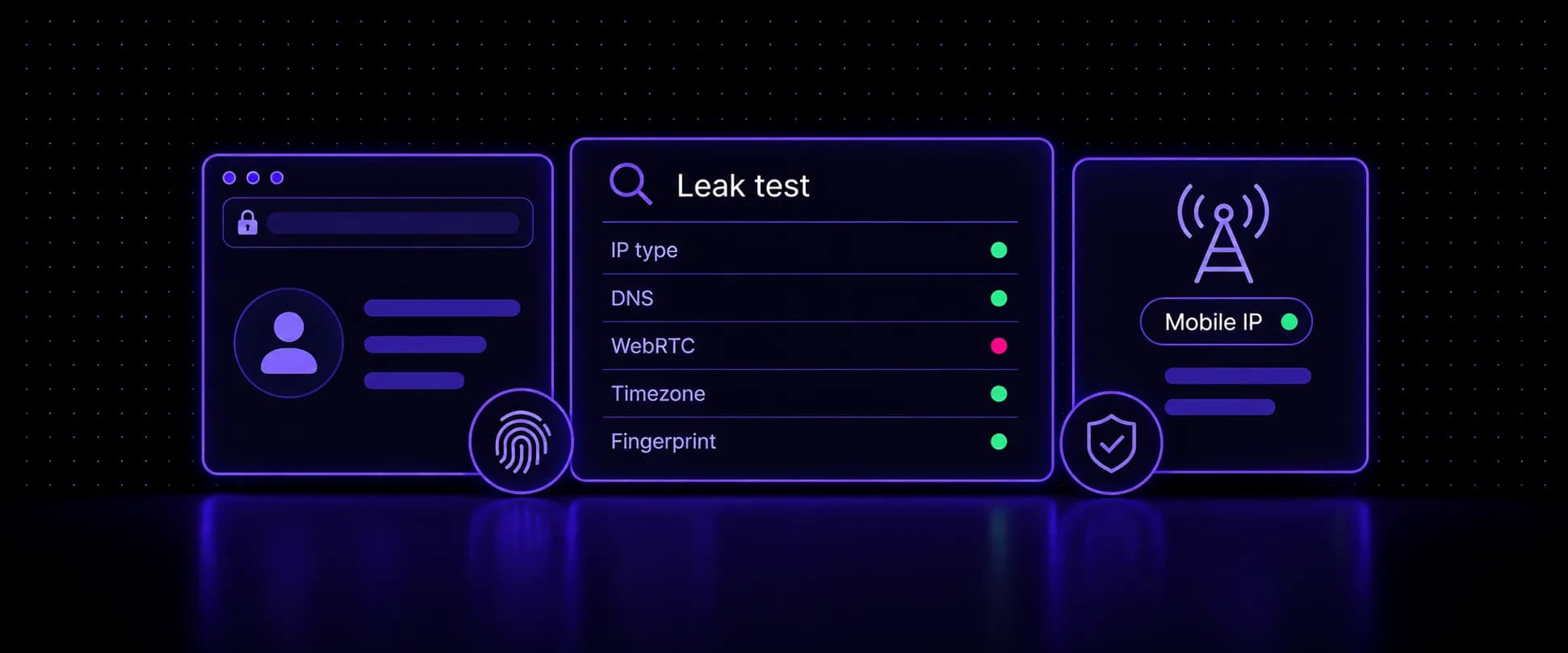
To test an antidetect browser, open each profile with its proxy connected and run IP, DNS, WebRTC, timezone and fingerprint checks from inside it. Log in only when every layer points to the same location and device. A profile can look clean in its settings window and still leak your real IP over WebRTC, resolve DNS through your home ISP, or report a timezone from the wrong continent. This leak test walks through each layer a detection tool scores and how to fix whatever fails.
Key takeaways
- Test every new profile inside the profile itself, with its proxy connected, before you log into any account. One failed check on login day can get the account flagged or locked.
- Detection tools score five layers: IP type and reputation, DNS and WebRTC leaks, timezone and locale, browser fingerprint, and behavior.
- A passing IP layer shows a mobile carrier ASN and a mobile IP type. DNS resolvers and the WebRTC public IP should match the proxy exit, never your home ISP.
- Most failures come from mismatches, not single values: a timezone from another continent, a user agent that disagrees with client hints, or a WebGL renderer that does not fit the claimed OS.
- Fix the layer that failed, rerun the full test, and only log in once every layer agrees with the same location and device.
Why Test an Antidetect Browser Before You Log In
An antidetect browser controls what a page can read about the browser. It cannot see what the network does underneath, and it cannot tell you when two of its own settings contradict each other. Those gaps show up only when something checks the profile from the outside, the way a platform's risk system will on your first login.
Testing after the login is too late. The platform has already recorded the IP, the device signals and the account together, and a mismatch found then stays attached to that account. A two-minute check beforehand costs nothing.
Fingerprint, a detection vendor, says the same thing from the other side:
“Spoofing one attribute is easy. Spoofing dozens of them so they all agree with each other is much harder.”
The Layers a Detection Tool Scores
Major detection systems read the same five layers, and every antidetect browser test should cover all of them. For the network side in depth, see our guide to how platforms detect proxies layer by layer.
| Layer | What gets checked | Pass looks like | Fail looks like |
|---|---|---|---|
| IP | IP type, ASN, reputation | Mobile carrier ASN, mobile IP type | Datacenter ASN, high risk score |
| DNS and WebRTC | Resolvers, STUN public IP | Both match the proxy exit | Home ISP resolver or real IP |
| Timezone and locale | IP, browser and Intl timezones, language | One region across all values | Different continent or language |
| Fingerprint | User agent, client hints, canvas, WebGL, fonts | Values agree with each other | OS or GPU contradictions |
| Behavior | Pace, navigation, session history | Human pace on an aged profile | Instant logins on a blank profile |
The first four can be tested in a page before login. Behavior cannot, which is why the checklist at the end includes it.
The Setup You Are Testing: Antidetect Browser and Mobile Proxy
Every pre-login test checks two things working together: the antidetect browser that builds each profile's fingerprint, and the proxy that gives each profile its IP.
The antidetect side first. This guide uses an antidetect browser like ixBrowser for the walkthrough, though the checks apply to any tool. ixBrowser keeps each account in its own profile with a separate fingerprint, and lets you customize the parameters a detection tool reads, including Canvas, WebGL and Audio, per profile. Its free plan covers 100 profiles, and the company states that free and paid users get the same fingerprint and IP isolation, which makes it a practical place to build and test profiles before scaling.
Profile management is where it saves time at volume. You can create, copy, edit and open profiles in batches, import and export cookies, install extensions from the Chrome Web Store, and share profiles and proxies with team members under roles and permissions. Monthly plans start at $3.99 as of November 2026 and add an automation API. For other options, see our antidetect browser comparison.
The order is the same in any antidetect browser: add the proxy in the profile's settings, test the connection, set geolocation and time zone to match the IP, then check WebRTC for leaks.
The proxy decides the first layer every site scores. Carrier mobile IPs sit behind NAT shared with real phone users, so their ASN and IP type read as a mobile network rather than a hosting provider. Give each profile its own exit: a sticky session from a per-GB pool for short-lived profiles, or a dedicated mobile device for accounts you keep. Our setup notes on mobile proxies for antidetect browsers cover the recommended configuration per browser.
In the profile's proxy settings, the connection takes these fields:
1Type: SOCKS5 or HTTP2Host: proxy.voidmob.com3Port: 100004Username: <list-username>5Password: <list-password>Set the list to sticky rotation for any profile that will log in, so the IP holds while the device stays online.
Run the Test: How to Test a Mobile Proxy With ToDetect
With the proxy saved, open the profile and run every check from inside it. A single proxy detection test only reads the IP, so use a detection tool like ToDetect, which runs the IP, leak, timezone and fingerprint checks from one site and scores them layer by layer. Run this routine on every new profile before you log in.
Test inside the profile, not your main browser
Your everyday browser only tests your own connection. Open the profile with its proxy connected and run every check from that window.
1. Check the IP quality. Open the IP Quality Check. Its IP Quality Score runs from Extreme Risk to Extremely Clean, and higher is better. Then read the database flags: on a mobile proxy, Is Mobile IP should be true and Is Data Center IP false, and the ASN Organization should name a mobile carrier. Every other layer must match the location, time zone and language listed here.
2. Run the DNS leak test. Results list each resolver with its provider and country. Any resolver that belongs to your home broadband provider is a leak. Several resolvers alone are not a problem, as long as their provider and region fit the proxy exit. Repeat it once to confirm the result is stable.
3. Run the WebRTC leak test. The free WebRTC leak test works as a second opinion. Each STUN row shows a private and a public IP. That public IP must match the proxy exit or read Not detected. Private 192.168.x.x or 10.x.x.x addresses are not a leak, and a hostname ending in .local is normal in Chrome.
4. Compare the timezones. Timezone Detection shows the IP-based timezone next to the browser's JavaScript and Intl API readings. Gaps of one or two hours can come from a neighboring region in the IP database, while a different continent is a real contradiction. Language should point to the same country as the IP.
5. Read the fingerprint consistency. ToDetect's Browser Fingerprint Consistency score is a guide, not a verdict. Go through the user agent, client hints, canvas, WebGL and fonts results and check that they describe one device (our fingerprint test is a quick cross-check): the platform in the client hints should match the user agent, and the WebGL renderer should fit the claimed operating system.
Fix Each Failing Layer
Each fix below targets one layer. Fix one at a time, then rerun the whole test, since a change in one layer can shift another.
IP Flagged as Datacenter or High Risk
Either the exit is not a carrier IP, or it carries a poor reputation. Move the profile to carrier mobile proxies and keep one profile per exit, since two profiles on one IP share one network identity. If a site still shows a proxy warning, our guide to what each "proxy detected" message means maps the message to its cause.
Antidetect Browser DNS Leak
Seeing a resolver from your home ISP usually means something bypasses the proxy. Check the profile's secure DNS setting, look for a static DNS server on your network adapter, and watch for IPv6 traffic taking the default route while IPv4 goes through the proxy. Flush the DNS cache and retest.
Antidetect Browser WebRTC Leak
Switch the profile's WebRTC setting to a mode that replaces the address with the proxy IP, or disable WebRTC if the profile never needs calls. Avoid granting microphone or camera access to sites you don't trust, since media permissions can expose more of the local network. IETF RFC 8828 sets out how browsers should handle local and public addresses in WebRTC.
Antidetect Browser Timezone Mismatch
Let the antidetect browser derive timezone, language and geolocation from the proxy IP instead of typing them by hand. When the mismatch appears only sometimes, the IP usually rotated to another region mid-session, which a sticky session or a dedicated device prevents.
Fingerprint Contradictions
Use a consistent profile template rather than stacking random noise, and keep the claimed operating system plausible for the GPU and fonts the profile reports. Some systems also read the TCP/IP stack of the connection, which can expose a Linux server under a profile claiming Windows. On VoidMob dedicated devices (every Premium plan, and Standard plans tagged p0f), you can set the TCP/IP fingerprint to Windows, macOS, iPhone or Android on the proxy page to match the profile.
Pre-Login Checklist
Run this list on every new profile, and again after any change to its proxy or settings:
- IP quality reads clean, with a mobile carrier ASN and mobile IP type
- DNS resolvers match the proxy exit, with no home ISP resolver
- WebRTC public IP matches the proxy exit or shows nothing
- IP, browser and Intl timezones point to one region, with a matching language
- User agent, client hints, WebGL and fonts describe one plausible device
- One profile per IP, on a sticky session or dedicated device
- A phone number you control for SMS verification and 2FA
- Slow first session: browse the platform before logging in, then log in at a human pace
Give every profile its own mobile IP
Sticky sessions on a pay-per-GB pool or a dedicated 4G/5G device, ready to paste into your antidetect browser.
FAQ
How do I check if my antidetect browser is working?
Open the profile with its proxy connected and run a full leak test from inside it. Check the IP type and reputation, DNS resolvers, the WebRTC public IP, the IP and browser timezones, and the fingerprint values. It is working when every layer points to the same location and one plausible device, and none of them shows your real IP or home ISP.
How do I test a proxy before logging in?
Add the proxy to the profile you will log in with, open that profile, and run an IP quality check, a DNS leak test and a WebRTC leak test from inside it. Its IP type should read mobile or residential rather than datacenter, and the DNS resolvers and WebRTC public IP should match the proxy exit. Log in only after every check passes.
How do I know if my proxy is leaking?
Run DNS and WebRTC leak tests with the proxy connected. Seeing a DNS resolver from your home internet provider, or a WebRTC public IP that differs from the proxy exit, means traffic is bypassing the proxy. Timezone or language from your real location is a softer leak that tells sites the IP and the device do not belong together.
Why does my antidetect browser show a timezone mismatch?
The profile's timezone does not match the region of its proxy IP, usually because the timezone was set by hand or the proxy rotated to another region mid-session. Set the profile to take timezone, language and geolocation from the proxy IP, and use a sticky session so the IP holds. Gaps of one or two hours can be harmless, while a different continent is a real mismatch.
Why is my antidetect browser not working with my proxy?
Most failures come from a wrong proxy type or credentials, a datacenter IP that sites flag, DNS or WebRTC traffic bypassing the proxy, and timezone or language that contradict the IP. Test the connection in the profile's proxy settings first, then run a full leak test from inside the profile to find which layer fails.
How can I check my proxy's IP type?
Use an IP quality checker inside the profile with the proxy connected. It reports the IP type, the ASN and its organization, and flags such as mobile IP or datacenter IP. A mobile proxy should show a mobile carrier ASN and a mobile IP type.
Rule of thumb: if any two layers of the test disagree about where the profile is or what device it runs on, fix that before the first login, not after the first ban.