
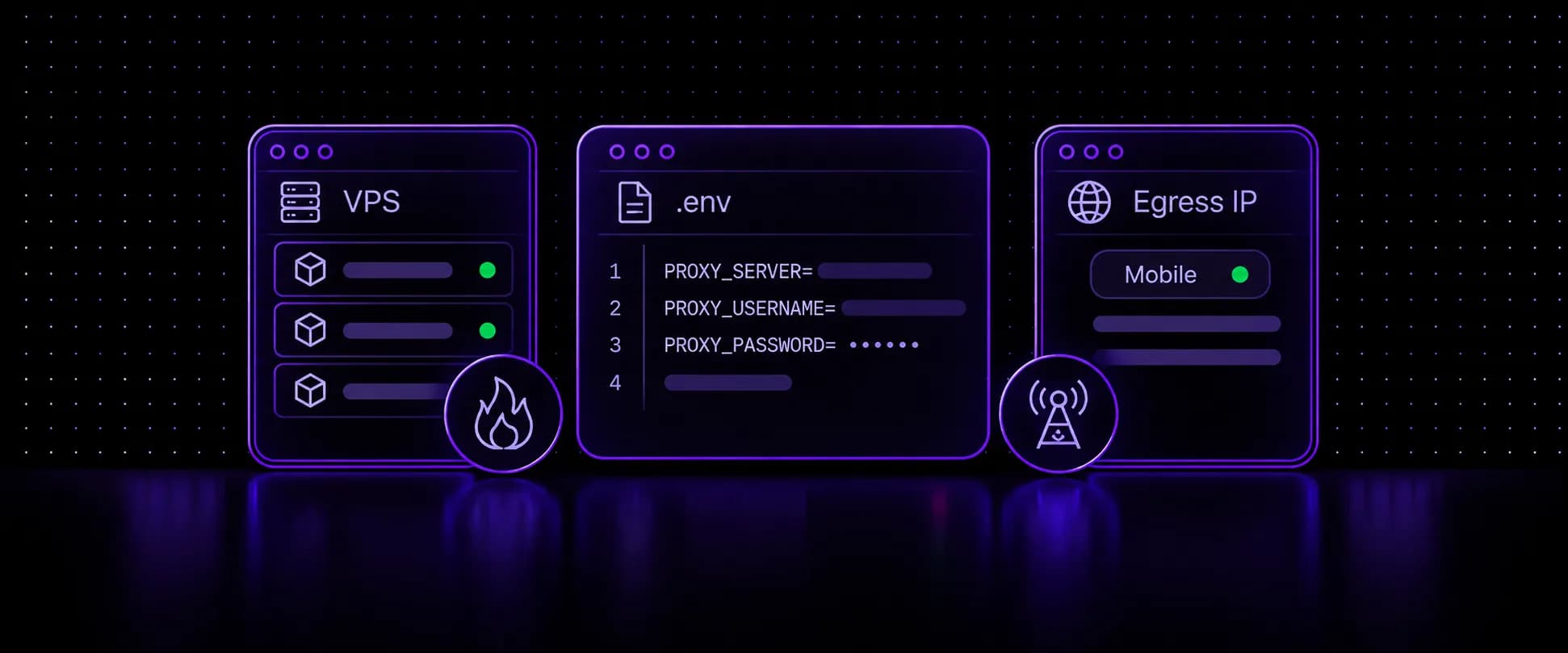
Self-hosted Firecrawl gives you the same scrape, crawl and map API as the cloud version, on a server you control and without per-page credits, which makes Firecrawl web scraping cheap at volume. It also gives you one big problem: every request leaves from your VPS's datacenter IP, and protected sites block that IP fast. This guide sets Firecrawl up on a VPS, routes it through mobile proxies with a working .env and Docker Compose config, proves the traffic exits on a mobile IP, and covers sticky vs rotating sessions, the 403/429/CAPTCHA fixes, and Firecrawl as a fetch tool for AI agents.
Key takeaways
- Self-hosted Firecrawl ships without Fire-engine, the cloud's anti-bot layer, so it scrapes with plain Playwright and a fetch fallback from your server's IP.
- Three variables in the root .env route the whole stack through a proxy: PROXY_SERVER, PROXY_USERNAME and PROXY_PASSWORD. Both the Playwright service and the fetch engine read them.
- Use the http:// form of the proxy address, since the fetch fallback is built on an HTTP proxy agent.
- Verify the exit IP by scraping an IP echo page through Firecrawl itself, then check the type with an IP checker. Without that step you are guessing.
- Give the Playwright service a sticky proxy and the fetch engine a rotating one with a small Compose override file.
Why Self-Hosted Firecrawl Gets Blocked
Firecrawl's open-source repository runs the API, its workers, a Playwright browser service, Redis, RabbitMQ and PostgreSQL (plus FoundationDB for an optional queue backend) in Docker Compose. Scraping goes through the bundled Playwright service first, with a basic fetch fallback when it fails. Fire-engine, the layer that handles anti-bot work on Firecrawl's cloud, is not included, and the self-hosting guide says to run and configure it separately if you need it.
So a fresh install fetches every page from the VPS's own IP. That IP belongs to a hosting provider's ASN, and datacenter ranges get flagged and blocked more often than IPs assigned to access networks, which is one of the first signals Cloudflare, Akamai and similar systems weigh. The Playwright service even warns you at startup: with no proxy set, it logs that your IP address may be blocked. On protected targets, the result is 403 responses, challenge pages saved as "content", and log lines reading All scraping engines failed!.
Mobile proxies fix the IP side. Carrier 4G/5G IPs sit behind CGNAT, shared with real phone users, so a site that blocks them blocks its own customers. That is the trust self-hosted Firecrawl lacks without Fire-engine.
Firecrawl Cloud vs Self-Hosted: Features and Pricing
Credits drive Firecrawl pricing on the cloud: a basic scrape or crawl costs one credit per page, JSON extraction adds 4 credits per page, and pages that return an error status like 403 still cost a credit. These are the plans on Firecrawl's pricing page in November 2026:
| Plan | Monthly billing | Yearly billing | Credits per month | Concurrent browsers |
|---|---|---|---|---|
| Free | $0 | $0 | 1,000 | 2 |
| Hobby | $19 | $16/mo | 5,000 | 5 |
| Standard | $99 | $83/mo | 100,000 | 25 |
| Growth | $399 | $333/mo | 500,000 | 50 |
| Scale | $749 | $599/mo | 1,000,000 | 100 |
Self-hosting replaces credits with two bills you control: the server and the proxy traffic. Licensing costs nothing: the core repository is AGPL-3.0, though modifying it and serving it over a network brings AGPL obligations.
What you give up matters as much as the price. Self-hosted installs have no Fire-engine, and the guide lists Agent and Browser as cloud features, with screenshots and page actions missing from the default stack. Scrape, crawl and map work. If your targets are mostly unprotected docs and blogs, self-hosting is the better deal. Protected targets are where the cloud's anti-bot layer earns its credits, unless you bring your own IPs.
Where to Run Self-Hosted Firecrawl
No minimum host size is published, but Firecrawl's Compose file sets hard limits that decide it for you: 4 CPUs and 8 GB of memory for the API container, and 2 CPUs and 4 GB for the Playwright service, plus Redis, RabbitMQ and PostgreSQL alongside. Docker refuses to start a container whose CPU limit exceeds the host's core count, so on a 2-core VPS you either lower the cpus: values or the stack does not start.
Size the VPS for the Playwright workers, since each concurrent browser page costs memory. A practical start is 4 or more vCPUs and 8 to 16 GB of RAM. PSB Hosting's guide to choosing a VPS for automation scripts covers CPU, RAM, location and restart behavior in general terms. Put the VPS in the same region as the exit country you target: proxy.voidmob.com connects it to the nearest of four gateway regions (US East, US West, Europe, Asia) on its own.
Step 1: Install Firecrawl and Pin a Release
Clone the repository, check out a tagged release instead of a moving main, and create the root .env the self-hosting guide starts from, plus a Compose override that binds the API to localhost (the box below explains why). The variables and limits in this guide were checked against Firecrawl's main Compose file in November 2026, so read the Compose file at the tag you pin:
1git clone https://github.com/firecrawl/firecrawl.git2cd firecrawl3git checkout "$(git describe --tags --abbrev=0)"4 5cat > .env <<'EOF'6USE_DB_AUTHENTICATION=false7POSTGRES_USER=postgres8POSTGRES_PASSWORD=<at-least-32-random-characters>9POSTGRES_DB=postgres10EOF11 12# Publish the API on localhost only (needs Docker Compose 2.24 or newer for !override)13cat > docker-compose.override.yaml <<'EOF'14services:15api:16 ports: !override17 - "127.0.0.1:3002:3002"18EOF19 20docker compose up --build -d21docker compose ps --allPort 3002 has no authentication
On this first-run path the API answers anyone who can reach port 3002. A UFW or firewalld rule is not enough on its own, because Docker's published ports bypass those rules. The override above binds the port to 127.0.0.1, so only the VPS itself can call the API. To let other machines in, put a reverse proxy with authentication in front, or add a firewall at your VPS provider's network level.
Step 2: Add a Mobile Proxy to the .env
Compose's root .env only overrides variables that docker-compose.yaml references, and the proxy trio is among them: PROXY_SERVER, PROXY_USERNAME and PROXY_PASSWORD go to both the API container, where the fetch engine runs, and the Playwright service. Keep them in the root .env next to docker-compose.yaml; the self-hosting guide is explicit that apps/api/.env.example is not a drop-in for it.
Create a proxy list in the VoidMob dashboard, then add its credentials. With VoidMob, a proxy list answers HTTP and SOCKS5 on the same host, port and login:
1USE_DB_AUTHENTICATION=false2POSTGRES_USER=postgres3POSTGRES_PASSWORD=<at-least-32-random-characters>4POSTGRES_DB=postgres5 6# Mobile proxy for the whole stack (VoidMob proxy list)7PROXY_SERVER=http://proxy.voidmob.com:100008PROXY_USERNAME=<list-username>9PROXY_PASSWORD=<list-password>10 11# Skip images, audio and video in Playwright to save proxy data12BLOCK_MEDIA=true13 14# Start with modest concurrency, raise it once blocks stay low15CRAWL_CONCURRENT_REQUESTS=616MAX_CONCURRENT_JOBS=3Three details from Firecrawl's source shape that file. Keep the http:// scheme: the fetch fallback is built on an HTTP proxy agent, and both engines add http:// themselves if you leave the scheme out. Keep credentials in the two separate variables rather than inside the URL, since both services assemble them for you. And BLOCK_MEDIA=true makes Playwright drop image, audio and video requests, which is real savings on a per-GB plan.
Apply the change with docker compose up -d --force-recreate, then move on to the egress check.
Step 3: Verify the Egress IP
Every guide that stops at "add the variables" skips the step that tells you whether they worked. Compare what the VPS shows on its own with what Firecrawl's scraper shows:
1# 1. The VPS's own IP: what sites see without the proxy2curl -s https://ipinfo.io/json3 4# 2. The IP Firecrawl's scraper exits from5curl -s -X POST http://localhost:3002/v2/scrape \6-H 'Content-Type: application/json' \7-d '{"url": "https://ipinfo.io/json", "formats": ["markdown"], "timeout": 60000}'8 9# 3. Confirm the browser service loaded a proxy (no output is good)10docker compose logs playwright-service | grep -i "no proxy server"The two IPs should differ, and in the second response the org field should name a mobile carrier's ASN rather than your hosting provider. Paste that IP into the IP checker to confirm it reads as a mobile IP. If the third command prints the warning, the Playwright service started without a proxy: check that the variables sit in the root .env and recreate the containers.
Repeat the scrape a few times. On a per-request list the IP should change between runs. On a sticky list it should hold until the rotation period ends. Firecrawl tries Playwright first, so this check shows the IP the Playwright service uses. After the split in Step 4, test the other list directly:
1curl -x "http://<rotating-list-username>:<rotating-list-password>@proxy.voidmob.com:10000" https://ipinfo.io/jsonStep 4: Sticky vs Rotating Sessions for Firecrawl
Firecrawl uses one proxy setting per service, so the rotation you choose applies to every request that service makes. On a self-hosted stack the Playwright service is tried first and the fetch engine only takes over when it fails, so Playwright carries most pages and most of your GB. The two engines want different things:
| Setting | Playwright service | Fetch engine (API container) |
|---|---|---|
| What it does | Renders full pages: HTML, scripts, XHR calls | Single HTTP GETs, no JavaScript |
| Best rotation | Sticky, or timed every few minutes | Per-request |
| Why | One page load is many requests, and cookies and challenges are tied to one IP | Spreads load so no single IP builds a request history |
| VoidMob list setting | Timed rotation, for example every 300 seconds | Per-request rotation |
Per-request rotation on the browser service is a common hidden failure: the page HTML arrives from one IP, its API calls from others, and the site's challenge never clears. To split the two, create two proxy lists on one plan, one timed and one per-request, then give each service its own login by extending the override file from Step 1, keeping its ports lines:
1services:2playwright-service:3 environment:4 PROXY_USERNAME: ${STICKY_PROXY_USERNAME}5 PROXY_PASSWORD: ${STICKY_PROXY_PASSWORD}6api:7 ports: !override8 - "127.0.0.1:3002:3002"9 environment:10 PROXY_USERNAME: ${ROTATING_PROXY_USERNAME}11 PROXY_PASSWORD: ${ROTATING_PROXY_PASSWORD}Add the four new variables to the root .env, keep PROXY_SERVER as it is, and recreate the stack with docker compose up -d --force-recreate. Compose reads docker-compose.override.yaml next to the main file automatically.
If you'd rather steer sessions from one login, VoidMob's Flex mode puts the settings in the username. Its login comes from the POST /v1/proxies/:id/flex_credentials API call (or the MCP server's get_proxy_status), not from a proxy list in the dashboard. Point PROXY_SERVER at http://proxy.voidmob.com:10092 and set PROXY_USERNAME to something like <username>_c_US_s_fc1_ttl_10m: US exits and one sticky session named fc1 that holds its IP for up to 10 minutes. Dropping _s_fc1_ttl_10m gives per-request rotation.
Route the Whole VPS Through a Mobile Proxy
Choosing proxies for a VPS comes down to scope: per app, or the whole server. Firecrawl doesn't need the second, because its proxy variables cover everything it fetches. Other tools on the same box might: a cron script with no proxy option, or a tool that ignores proxy settings. For that, the clean answer is a dedicated mobile device, which comes with an OpenVPN profile alongside its HTTP port and, where the device has one, a SOCKS5 port, so the whole VPS can exit through one carrier IP.
Changing a server's default route can cut your own SSH session, so pin a route for your admin IP first, ideally from the VPS provider's web console:
1# Keep SSH reachable: send your own IP via the VPS's normal gateway2GW=$(ip route show default | awk '{print $3; exit}')3sudo ip route add <your-admin-ip>/32 via "$GW"4 5# Connect the dedicated device's OpenVPN profile6# (if the profile asks for a login, add: --auth-user-pass <credentials-file>)7sudo apt install -y openvpn8sudo openvpn --config <dedicated-device-profile>.ovpn --daemon9 10# Check the new exit IP for the whole server11curl -s https://ipinfo.io/jsonDocker containers follow the host's routes, so Firecrawl would exit through the tunnel too. The catch is inbound traffic: replies to anyone other than your pinned admin IP now leave through the tunnel, so the Firecrawl API becomes unreachable from other addresses. For a Firecrawl box that other apps call, the per-service proxy variables are the better design. Whole-server routing suits a worker that only reaches out.
Open-Source Firecrawl Alternatives You Can Self-Host
Choosing between Firecrawl and the other scrapers you can run yourself comes down to interface and language. These are the open-source options most teams weigh it against, and all four take a proxy:
| Tool | What it is | License | Output | Proxy setup |
|---|---|---|---|---|
| Firecrawl | Scrape, crawl and map API in Docker | AGPL-3.0 | Markdown, HTML, JSON | PROXY_ |
| Crawl4AI | Python crawler built for LLM input | Apache-2.0 with an attribution clause | Markdown, structured JSON | Proxy settings in the browser config |
| Scrapy | Python crawling framework | BSD-3-Clause | Whatever your spiders yield | HttpProxyMiddleware or per-request meta |
| ScrapeGraphAI | LLM-driven extraction pipelines | MIT | Structured JSON | Proxy options in the graph config |
Firecrawl wins when you want a ready HTTP API that apps and agents can call, with crawling and markdown conversion handled. Crawl4AI suits Python teams who want the crawler inside their own code. Scrapy is a common pick for known sites at volume, and ScrapeGraphAI fits when an LLM should decide what to extract. Whichever you pick, the IP layer works the same way: none of them ships with trusted IPs.
Self-Hosted Scraping for Apps and AI Agents
A self-hosted Firecrawl doubles as a fetch tool for AI agents. Firecrawl's MCP server takes a FIRECRAWL_API_URL setting for self-hosted instances, so Claude Code, Cursor or any MCP client can scrape and crawl through your own stack and your own proxy instead of the cloud. Apps call the same REST endpoints directly.
Agents can manage the proxy side too. Connected to the VoidMob MCP server, an agent can buy a plan, create a geo-targeted proxy list for a new country, check remaining data and top up. With Firecrawl pointed at a dedicated mobile device, the agent can also rotate the device's IP between crawl jobs (once a minute at most) with no restart, because the proxy address and login stay the same. When a target starts answering 403, the agent should back off that domain and report it instead of retrying. Setup guides for Hermes Agent, OpenClaw, Playwright MCP and other agents are on the integrations page, and if you're building the agent itself, start with how to build a scraping agent.
Fixing 403, 429 and CAPTCHA Responses
403 on every target. Run the Step 3 check first. If Firecrawl's exit IP matches the VPS, the proxy never loaded: the variables are in the wrong file or the containers weren't recreated.
403 on some targets, with the proxy working. Move the Playwright service to a sticky or timed list, and match the exit country to the site with a country target. Some sites also need page actions or stealth browsing that the default self-hosted stack lacks. The causes of agent blocks go beyond the IP, so a clean exit address alone won't clear every site.
429 Too Many Requests. Lower CRAWL_CONCURRENT_REQUESTS and MAX_CONCURRENT_JOBS, slow crawls on a single domain, and shorten the Playwright list's timer (for example to 1 minute), since Playwright carries most of the burst and a long hold keeps all of it on one IP.
CAPTCHA pages saved as content. Self-hosted Firecrawl has no CAPTCHA solving. Prevention is the only lever: carrier IPs, sticky sessions for the browser and lower concurrency. Targets that still challenge belong on a dedicated mobile device with a low request rate.
407 Proxy Authentication Required. Either the login or password is wrong, or the list's password was regenerated. Copy the credentials again from the dashboard and recreate the containers.
Pre-Launch Checks
Before you point the stack at production targets, run through four checks:
- the proxy variables live in the root
.envand the containers were recreated - the exit IP Firecrawl reports differs from the VPS and reads as mobile in an IP checker
- the Playwright service runs on a sticky or timed list, the fetch engine on per-request
- port 3002 is bound to 127.0.0.1 or sits behind an authenticated reverse proxy
Give Firecrawl a Mobile IP
Create a proxy list, paste three variables into your .env and scrape from a real carrier connection.
FAQ
Is self-hosted Firecrawl free?
Yes, the software is free and open source under AGPL-3.0, with no credits. You pay for the server and for any proxies you route it through. Firecrawl's cloud has a free tier of 1,000 credits a month and runs Fire-engine, the anti-bot layer that self-hosted installs lack.
Why does self-hosted Firecrawl get 403 errors?
Without a proxy, every request leaves from your VPS's datacenter IP, which bot protection systems flag first, and the self-hosted stack has no Fire-engine anti-bot layer. Route it through mobile proxies with the PROXY_SERVER, PROXY_USERNAME and PROXY_PASSWORD variables, then confirm the exit IP by scraping an IP echo page through Firecrawl.
What VPS specs does self-hosted Firecrawl need?
No official minimum is published, but the Docker Compose file limits the API container to 4 CPUs and 8 GB and the Playwright service to 2 CPUs and 4 GB. Docker won't start a container with a CPU limit above the host's core count, so 4 or more vCPUs and 8 to 16 GB of RAM is a practical starting point.
Can self-hosted Firecrawl use a SOCKS5 proxy?
Use HTTP: put the http:// form of the proxy address in PROXY_SERVER. Firecrawl's fetch fallback runs on an HTTP proxy agent, and both engines treat an address without a scheme as HTTP. Providers that serve HTTP and SOCKS5 on the same port, as VoidMob does, need no other change.
How do I route a whole VPS through a mobile proxy?
Use a dedicated mobile device that comes with an OpenVPN profile, pin a route for your own admin IP through the VPS's normal gateway so SSH stays reachable, then connect the profile with the OpenVPN client. All outbound traffic, including Docker containers, then exits on the carrier IP, while inbound services become reachable only from the pinned address.
How does Firecrawl cloud pricing compare with self-hosting?
Cloud plans charge credits, from 5,000 a month on the Hobby plan at 19 dollars billed monthly up to 1,000,000 on Scale, with one credit per basic page and extra credits for JSON extraction. Self-hosting replaces credits with a server bill and proxy traffic, and trades the cloud's anti-bot layer for full control of the stack.