
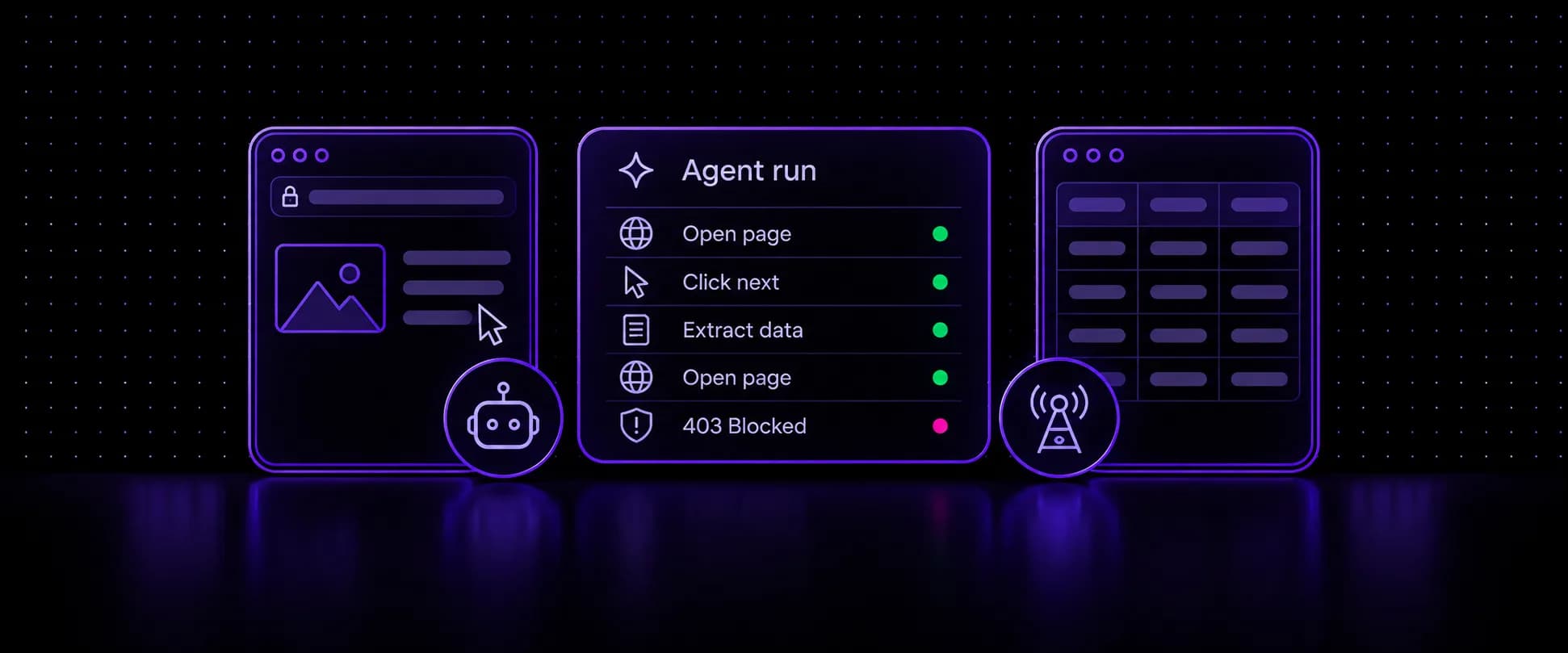
Agentic web scraping is data collection where an AI agent, not a fixed script, decides which pages to open, how to interact with them and what to extract, then checks the result and changes course when something fails. You describe the data you want, and the agent works out the route. That flexibility is real, and so are the costs: agents run many times slower than scripts, struggle with CAPTCHAs, and get blocked when they browse from the wrong IP. Below is what agentic scraping is, how it compares with AI scraping and scraping APIs, where it breaks, and what decides whether a run succeeds.
Key takeaways
- Agentic web scraping lets an AI agent choose pages, actions and extraction at runtime, where traditional and AI scraping follow a path set in code.
- Agents fetch data in two ways: by driving a real browser behind a proxy you choose, or by calling a scraping API that fetches from the provider's own IPs.
- In a January 2026 benchmark across 35 sites, agents matched scripts on simple pages but took 10 to 20 seconds where scripts took under 2, and passed demo CAPTCHAs only 5% to 10% of the time.
- Sites now treat agent traffic as its own class: DataDome logged 17.7 billion AI agent requests in Q2 2026, and Cloudflare lets site owners block its Agent category everywhere or only on pages with ads.
- Where a site lets agents in, the IP decides much of what happens next: carrier mobile IPs draw fewer challenges than datacenter IPs, so logins and multi-step runs get further.
What Is Agentic Scraping?
Agentic scraping is a loop rather than a pipeline. The agent gets a goal, plans a first step, acts in a browser or through a fetch tool, reads what came back, and picks the next step from that result. Pipelines run the same steps every time. An agent can follow a link it did not know existed, fill in a search box, page through results, or back out of a page with nothing useful on it.
Take a request like "find the shipping cost and delivery time for 30 online stores." An agent searches for each store, opens product and policy pages, picks out the two values and writes them into a fixed schema. Nobody wrote a selector for any of those sites, and nobody mapped their page structure in advance.
Other names for the same idea include agentic AI web scraping, autonomous scraping and AI scraping agents. Most tools sold under those names are this loop wrapped around a browser or an API. The test is simple: if a model chooses the next action, the scraping is agentic. If a model only parses pages that code already fetched, it is AI scraping.
Agentic Scraping vs AI Scraping vs Traditional Scraping
What is AI scraping? AI scraping uses a language model to read a page and return structured data, often without hand-written selectors, but your code still decides which URLs to fetch and in what order. Traditional scraping leaves both jobs to code: a crawler fetches known URLs and CSS or XPath selectors pull out the fields. Agentic scraping hands the route to the model as well.
| Factor | Traditional scraping | AI scraping | Agentic scraping |
|---|---|---|---|
| Who picks the pages | Your code | Your code | The agent |
| How fields are extracted | CSS or XPath selectors | A model reads the page into a schema | A model, which also decides what to open next |
| Layout changes | Breaks until someone fixes it | Usually adapts | Usually adapts |
| Logins and multi-step flows | Scripted per site | Scripted per site | Planned at runtime |
| Speed per page | Fastest | Slower, one model call per page | Slowest, one model call per step |
| Main cost | Engineering time | Tokens per page | Tokens per step plus browser time |
| Best for | Known pages at volume | Messy pages at known URLs | Unknown or changing paths |
That split is also what people mean by agentic workflow vs AI workflow: fixed steps with a model inside them, or a model choosing the steps.
How Agents Get Web Data: Browser Agents vs Scraping APIs
Agents get web data in two main ways, and the choice decides cost, speed and whose IP the target site sees.
Browser Agents
A browser agent drives a real browser: it clicks, types, scrolls and reads the rendered page. Open-source projects such as browser-use, Microsoft's Playwright MCP server and Cua's computer-use agents all work this way. They can log in, fill forms and read pages that only build their content in JavaScript. Every step costs a model call and browser time, and the site sees the IP of whatever machine or proxy the browser runs behind.
Scraping APIs and Fetch Tools
Scraping APIs take a URL or a prompt and return clean markdown or JSON. Firecrawl and Apify Actors are common hosted examples, and Crawl4AI is a popular self-hosted crawler. Most of them expose an MCP server or function-calling tools, so an agent can call them directly. They are quick to wire up and fast per page. Hosted APIs fetch from the provider's IP pool, so access depends on their unblocking, while a self-hosted crawler fetches from wherever you run it. Long logged-in sessions across many steps are harder to hold than in a browser you control.
Where Agents Beat Scripts, and Where They Lose
Some of the clearest numbers so far come from a benchmark posted to arXiv in January 2026 by researchers at the University of Illinois Urbana-Champaign and Saint Francis High School. They tested LLM-assisted scripts (BeautifulSoup and Scrapy) against two end-to-end agents (Claude 3.5 Sonnet and Simular.ai) on 35 sites across five tiers, from simple HTML to login flows and CAPTCHAs, scoring how often each one extracted the target data.
Two patterns sit behind those numbers. The agents differed from each other almost as much as from the scripts: on complex HTML, Simular.ai scored 1.00, the BeautifulSoup script 0.80 and Claude 0.57. And the login tiers, which only agents could attempt, show the widest spread of all, 0.12 against 0.70 on complex logins, so which agent you run matters as much as whether you run one. Claude 3.5 Sonnet dates from 2024, so newer models may score differently.
“We also highlight scenarios where LLM-assisted scripting may be simpler and faster for static sites.”
Five questions settle most cases:
| Question | Points to a script or API | Points to an agent |
|---|---|---|
| Do you know the URLs? | Yes, a fixed list | No, it has to search and follow links |
| How many pages, how often? | Thousands, hourly or daily | Dozens to hundreds, now and then |
| Is there a login or a form? | No | Yes, or a multi-step flow |
| How often does the layout change? | Rarely | Often, or every site differs |
| What does a wrong value cost? | A lot, so you want selectors that fail loudly | Little, or you validate the output anyway |
CAPTCHAs sit outside that table, because neither side handles them well. Scripts can't solve them on their own, and agents rarely do. Keeping them from appearing scales better than solving them, and that is an IP question, covered below.
When the answers point to a script, it is still the fastest and most predictable option for known pages at volume, and many teams let a model write it once, then run it with no model in the loop. Setups that hold up best mix the two: an agent handles discovery, logins and odd pages, then hands known URLs to a script or API for bulk extraction. The benchmark's authors end on a version of the same split, proposing agents for getting past logins and scripts for the scraping itself.
For example, hourly price checks on one retailer belong in a script, while mapping return policies across 40 stores you have never seen belongs with an agent. If your job sits on the agent side, our guide on how to build a scraping agent covers the stack and setup.
What Makes Agent Runs Expensive
Every agent step is a model call with the current page in its context, so cost tracks page size and step count, not just page count. Raw HTML carries scripts, styles and markup the model doesn't need, which is why most tools first shrink the page to markdown or, like Playwright MCP, to a structured accessibility snapshot. Retries multiply the bill. A blocked page costs a model call too: the agent reads the block, reasons about it and tries again, so every challenge it meets is paid for twice, once in tokens and once in time.
Where Agentic Scraping Breaks: Blocks, IPs and Proxies
Logins and CAPTCHAs fail inside a run. Many runs fail earlier, before the agent reads a single page, because sites now classify agent traffic and decide what to do with it before serving any content.
DataDome recorded 17.7 billion AI agent requests across its network in Q2 2026, up 45% on the previous quarter, and 54% of its customers have implemented agent trust policies. Cloudflare sorts AI traffic into Search, Agent and Training categories, where Agent covers automated activity acting in real time on a person's behalf, browser-use agents included, and site owners can block each category everywhere or only on pages with ads.
Those policies are each site owner's choice about agents as a class. On sites that do serve agents, an older question decides how often a run gets challenged: where does the request come from? With a hosted scraping API, the answer is the provider's pool. With a browser agent, it is whatever IP you give it, and a cloud server's datacenter IP is among the first signals bot defenses score. Datacenter ASNs draw challenges, challenges bring CAPTCHAs, and the benchmark above shows how agents fare against those.
Agents feel this more than scripts do. Scripts blocked on one URL simply retry that URL. Agents work through one long session: search, open, log in, click through, extract, often dozens of page loads on the same site. One flag halfway through ends the whole run, and everything the agent spent getting there is lost with it.
That makes the IP layer a prevention problem more than a solving problem. Carrier mobile IPs sit behind CGNAT, shared by many real phone users, so a site that blocks one risks blocking its own customers. Routing a browser agent through mobile proxies means fewer challenges appear in the first place, and VoidMob gives agents several ways to use them:
- Sticky sessions keep one carrier IP through a login, a search and the pages behind it, so the site sees one visitor instead of a new one per step.
- Per-request rotation spreads broad discovery runs across many IPs.
- Dedicated mobile devices give a long-running agent its own 4G/5G IP, rotated on demand.
- HTTP and SOCKS5 come on every plan, with UDP over SOCKS5, and VoidMob's mobile IPs carry a 95%+ trust score.
One IP per task
Rotating mid-login looks like several people sharing one account. Switch IPs between tasks, not inside one.
Before an agent spends tokens on a target, run its proxy through the free proxy checker, which shows whether the exit reads as mobile, residential, datacenter or VPN, along with its ASN, location and risk level. Shared mobile proxies are billed per GB, which suits agent runs that fetch in bursts.
Agents That Manage Their Own Proxies: MCP and Integrations
An agent that lands on a challenge page can do more than retry. Connected to the VoidMob MCP server, it can buy a proxy plan, create a geo-targeted proxy list for the country it needs, rotate a dedicated device's IP after a challenge, check remaining data and top up, all from inside the run.
In practice, a run can go like this: the agent opens a target, reads a challenge instead of the data, rotates its dedicated IP (allowed once a minute), waits, and loads the page again on a fresh carrier IP. The rotation costs nothing, so a connection at the Manage access level can make it. Anything that charges the balance carries an approved price and stays inside any per-order or daily spending limit you set on the connection.
Apps such as ChatGPT, claude.ai, Perplexity, Cursor, VS Code and Claude Code connect to the hosted server with a VoidMob sign-in, with no API key to paste. Each connection gets an access level (View, Manage or Buy) and optional per-order and daily spending limits, so you decide how much of your balance an agent can reach. When a target asks for a phone number at login, the same balance covers non-VoIP carrier numbers for SMS verification.
Ready-made integrations cover Playwright MCP, Hermes Agent, OpenClaw, Cua, Grok Bot, MausBot, Boat and the Pi coding agent, and an installable agent skill covers frameworks without MCP support.
Mobile IPs for agent runs
Sticky carrier IPs that hold through a login, per-request rotation for discovery, or a dedicated 4G/5G device per agent, on HTTP and SOCKS5.
FAQ
What are companies actually using AI web scraping agents for?
Common uses are competitor price and catalog checks across many sites, mapping a market or vendor list, lead and company research, monitoring pages for changes, and pulling data from portals that need a login. These jobs share a pattern: the pages differ from site to site or change often, so writing and maintaining a scraper per site costs more than letting an agent find the data.
What is the difference between an agentic workflow and an AI workflow?
An AI workflow runs fixed steps that a developer defined, with a model doing one job inside them, such as turning a page into JSON. An agentic workflow lets the model choose the next step based on what it just saw, so it can follow new links, try another route or stop when the data is complete. Unknown paths suit agentic workflows better, while AI workflows are cheaper, faster and easier to predict.
How do you connect a scraping API to LLM agents?
Most scraping APIs ship an MCP server or function-calling tool definitions. You register the tool with your agent framework or AI app, and the model calls it with a URL or a prompt and gets markdown or JSON back. For browser agents, the matching step is routing the browser through a proxy, which an MCP server for proxies can also manage.
Can AI agents handle CAPTCHAs and multi-step scraping?
Multi-step flows work with mixed results: in a January 2026 benchmark, agents completed complex login flows between 12% and 70% of the time, depending on the tool. CAPTCHAs remain weak, with agents passing demo CAPTCHAs only 5% to 10% of the time. Clean carrier IPs reduce how often CAPTCHAs appear in the first place, which matters more than solving them.
Does agentic scraping need proxies?
A browser agent running on a cloud server browses from a datacenter IP, which bot defenses flag first, so most production runs use proxies. Mobile proxies carry the most trust because carrier IPs are shared by real phone users. Hosted scraping APIs bring their own IP pool, so a proxy matters there mainly when you self-host the crawler.
How does AI improve web scraping accuracy?
A model reads a page the way a person does, so it can find the right field when the layout changes or labels vary, where a fixed selector would break. In a January 2026 benchmark, one agent scored 1.00 on complex HTML pages against 0.80 for a BeautifulSoup script, though the other agent scored 0.57. The risk runs the other way too: a model can return a plausible wrong value, so schema checks and spot checks still matter.
Bottom line: give agents the jobs that need judgment, keep scripts on pages you already know, and route both through an IP that sites trust, because a run blocked at the network never reaches the model.