
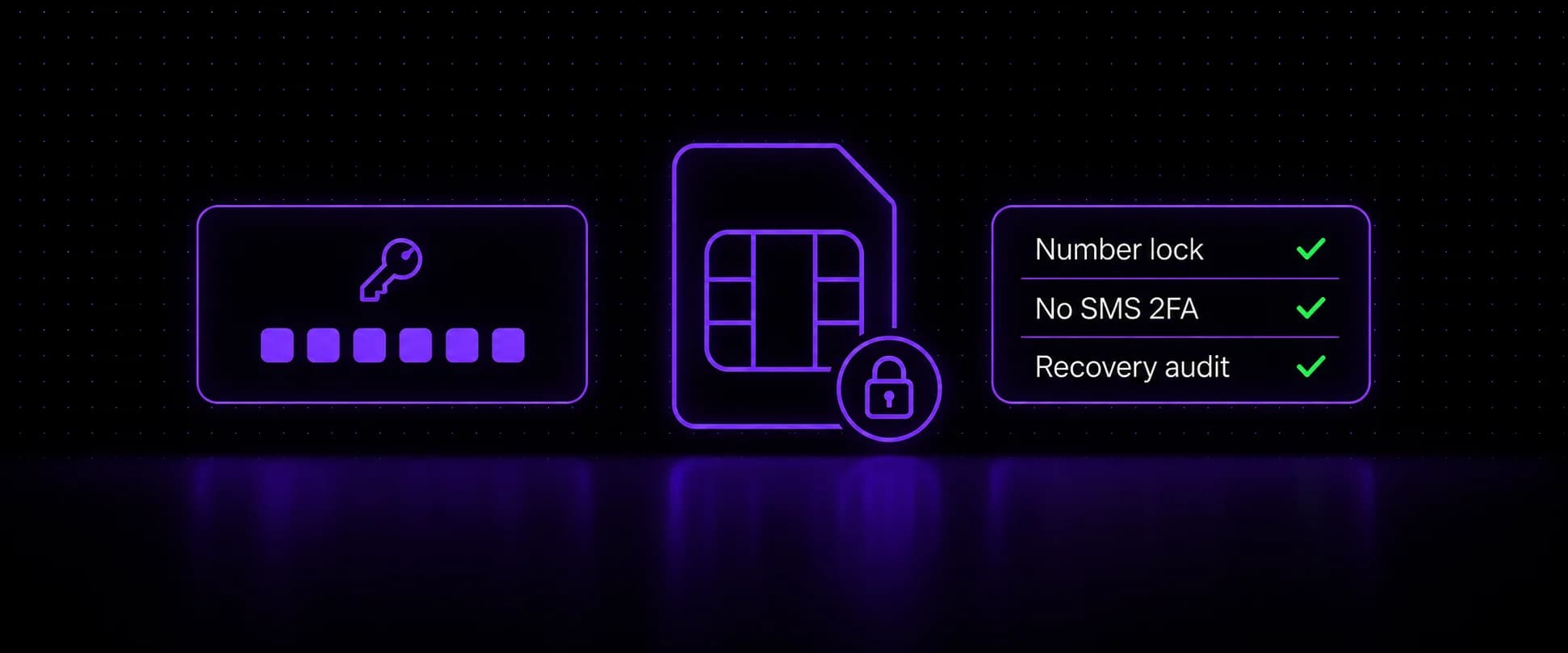
SIM swap protection takes four layers: a free number lock at your carrier, two-factor that does not use SMS on your email and money accounts, a separate unlisted number for the codes you cannot move, and an audit of how each account recovers. A SIM swap moves your phone number onto a device an attacker controls, and from then on every SMS code your email, bank, and exchange accounts send goes to them. The FBI's 2025 Internet Crime Report counts $17.4 million in SIM swap losses across 971 complaints, and that only covers people who filed one.
Key takeaways
- A SIM swap moves your number to an attacker's device by convincing (or paying) your carrier, not by physically stealing your phone.
- It happens four ways: carrier social engineering, port-out fraud, bribed insiders, and eSIM moves through a phished carrier account.
- No single defense stops all four. Layer a carrier SIM lock and port lock, non-SMS 2FA, a separate verification number, and a recovery audit.
- FCC rules adopted in 2023 make carriers authenticate you, warn you before a SIM change, and offer a free lock, but compliance starts December 17, 2026 for the SIM change rules and December 18 for the port-out rules. Turn the locks on yourself.
- On crypto exchanges, use a security key or authenticator app, remove SMS fallbacks, and turn on a withdrawal allowlist or settings lock.
The good news: SIM swap protection is mostly free, takes about an hour to set up, and does not require changing carriers. This guide covers how the attack works, the warning signs, the four layers, the extra settings crypto accounts need, and what to do in the first hour if it happens to you.
What a SIM swap is and why it works
Your phone number is not stored in your phone. It is a row in your carrier's subscriber database, mapped to whichever SIM or eSIM the carrier currently says it belongs to. A SIM swap is someone convincing (or paying) your carrier to change that mapping.
The attack works because the industry spent a decade turning phone numbers into master keys. Your number resets your email. Your email resets everything else. An attacker who holds your number for a short window can chain password resets through your accounts faster than you can reach carrier support.
| Label | Value |
|---|---|
| 2021 | 68 |
| 2022 | 72.7 |
| 2023 | 48.8 |
| 2024 | 26 |
| 2025 | 17.4 |
Reported losses peaked at $72.7 million in 2022 and have fallen every year since: $48.8 million in 2023, $26.0 million in 2024 and $17.4 million in 2025. IC3 only counts the complaints people file, so these totals are a floor, not the size of the problem.
The four ways attacks actually happen
Carrier social engineering. The classic route. The attacker calls support with your name, address, date of birth, and last-four digits harvested from data breaches, claims a lost phone, and asks to activate the number on a new SIM.
Port-out fraud. Instead of swapping the SIM at your carrier, the attacker opens an account at a different carrier and ports your number over. Same result, different weak point, which is why a SIM lock alone is not enough and you want the port lock too.
Insider access. Retail and support employees have been bribed to process swaps directly. In one federal case, a phone company sales representative took about $500 a day in bribes to swap customers' SIMs for a co-conspirator. No amount of caller verification helps when the person processing the change is the attacker.
eSIM moves through your carrier account. The newest route. Carriers let account holders move a number to a new eSIM from their app or website, so an attacker who phishes your carrier login can try the same thing from their own device. No store, no phone call, no human to convince. Whether eSIM makes swapping harder or easier gets its own section below.
Warning signs you are being swapped right now
- Your phone drops to "No Service" in a place with normal coverage and a restart does not fix it.
- Calls and texts stop arriving, but Wi-Fi still works.
- A carrier text or email about a SIM change or port request you did not make. From December 17, 2026, FCC rules require carriers to send one before a SIM change completes.
- Password reset emails you did not request, or login alerts from new devices.
- You are suddenly logged out of accounts that use SMS verification.
The "No Service" symptom is the one people rationalize away. If it happens outside a known dead zone and a reboot does not restore service within a few minutes, treat it as an incident, not a glitch.
The four-layer defense
Each layer stops a different route. The point of layering is that a bribed insider walks past layer one, and a phished carrier password walks past layer two, but nothing walks past all four.
Layer 1: Lock the number at the carrier
Carriers split this protection in two: a SIM lock stops your number moving to a new SIM or eSIM, and a port lock stops it moving to another carrier. Both are free at the three major US carriers. Turn on both:
- Verizon: SIM Protection and Number Lock, each a toggle in the My Verizon app under Account, then Edit Profile and Settings, then Security.
- T-Mobile: SIM Protection in the T-Life app under Manage, the gear icon, then Security, plus Port Out Protection, which is added to each line separately under Manage add-ons.
- AT&T: Wireless Account Lock covers both, blocking SIM swaps and number transfers. In the AT&T app, tap the person icon, select Wireless account lock, and swipe to lock.
Once a lock is on, the changes it covers are refused until you switch it off yourself, so plan to turn the lock off before upgrading phones or moving your eSIM, then turn it back on. Two more settings close the gaps:
- Set a support PIN or passcode on the carrier account, and treat it like a password, not your birth year.
- Remove SMS as the recovery method for the carrier account itself. Otherwise the number is the key to the account that controls the number, which is circular in exactly the way attackers like.
The federal baseline arrives late. FCC rules adopted in November 2023 require carriers to authenticate you before a SIM change, notify you before it completes, and offer a free lock, but the start date slipped while the paperwork cleared federal review. A Federal Register notice of November 17, 2026 sets compliance with the SIM change rules for December 17, 2026, and a second notice on November 18, 2026 sets compliance with the matching port-out rules for December 18, 2026. The locks you turn on yourself are the protection that counts.
Layer 2: Get verification codes off SMS where it counts
NIST has classified SMS as a restricted authenticator since 2017, for precisely this reason: the code goes to wherever the number currently lives, and the number can be moved. Its 2025 revision keeps SMS restricted and tells services to weigh signs like a recent SIM change or number port before sending a code. The layers after this one exist for the SMS you could not remove, not as a substitute for removing it.
Priority order, because you will not do all of it in one sitting:
- Email first. It is the root of your account tree. Passkey or authenticator app, and confirm SMS is removed as a fallback, not just supplemented.
- Anything holding money. Banks, brokers, exchanges. Hardware security keys if the platform supports them; exchange-specific settings are in the crypto section below.
- Everything else as you touch it.
The trap to check
Many accounts let you add an authenticator app but quietly keep SMS as an alternate method. An attacker with your number just picks "text me the code instead". Adding the app without removing SMS changes nothing.
Layer 3: Separate the number people know from the number that gets codes
Attackers research their target's number first. It is on your business card, in breach dumps, attached to your name at data brokers. Every defense so far assumes they found it. This layer removes the assumption.
Some services will not let you off SMS verification, and some accounts you simply want reachable by code. Point those at a number used only for verification and never given out: not on a business card, not in a contact list, not in signup forms you do not need. VoidMob's dedicated non-VoIP carrier numbers are built for this job: each is a real mobile number reserved to one customer, billed month to month, not tied to a single service, and it works across most platforms. Nobody can talk a carrier into moving a number they do not know you use.
Two habits complete the layer: stop putting your main number into every signup form that asks, and run a data broker removal pass so the number attached to your name in people-search sites goes stale. What "secure" actually means across this space, from hardened carrier plans to numbers kept off your public profile, is mapped in what is a secure SIM card.
Layer 4: Audit the recovery paths
A SIM swap is only step one of the attacker's plan; the plan is account recovery. Spend twenty minutes walking your own recovery tree the way an attacker would:
- For each critical account, what does "forgot password" actually ask for?
- Does your email fall back to SMS anywhere, including "trusted phone number" settings you set up years ago?
- Do any accounts recover through a number you no longer control, like an old work line?
Fix what you find. This audit is also the honest test of whether layers 1 through 3 are actually wired together or just individually switched on.
What each layer stops
| Attack route | What actually stops it |
|---|---|
| Support social engineering | The carrier SIM lock refuses the change at the account level, and a separate verification number means the attacker researched the wrong target anyway |
| Port-out fraud | The port lock (Number Lock, Port Out Protection, or AT&T's account lock) blocks the transfer to another carrier |
| Bribed insider | Walks past the lock, but non-SMS 2FA means the stolen number opens nothing that matters |
| eSIM move via account takeover | The SIM lock blocks the move unless it is switched off first, and the recovery audit removes the SMS fallbacks the attacker needs next |
The whole plan fits in a notes app:
- Carrier SIM lock, port lock, and support PIN on.
- Email and money accounts off SMS 2FA, with the fallback methods actually removed.
- Codes you cannot move go to a separate, unlisted number.
- Recovery paths audited once, then again when you add an account that matters.
How to protect crypto accounts from SIM swaps
Crypto exchange accounts are a favorite target, because a withdrawal to an outside wallet cannot be pulled back. The FBI's SIM swap warning advises against posting about your crypto or other financial holdings on social media and forums.
SMS stays the weak link even after you add an app. In 2021, attackers who had already phished customers' email addresses, passwords, and phone numbers abused a flaw in Coinbase's SMS account recovery to get into at least 6,000 accounts and move funds out. The login was protected; the recovery path was not.
Three settings cover most of the risk:
- A second factor that is not SMS: a hardware security key or authenticator app, with SMS removed from both login and account recovery wherever the exchange allows it.
- A withdrawal allowlist: send only to saved addresses. Binance's Withdrawal Whitelist blocks withdrawals to any other address, and its Whitelist Withdrawal Limit holds newly added addresses for a period you choose.
- A settings lock: Kraken pairs funding 2FA with a Global Settings Lock. Funding 2FA asks for a security key or authenticator code on every withdrawal; the lock stops anyone adding a withdrawal address or changing that 2FA, and switching it off takes a waiting period you choose (3 days by default) that Kraken support cannot shorten.
With those on, a stolen number gets the attacker a text message, not a new withdrawal address.
Does an eSIM protect you from swapping?
Not by itself. The attack moves the number at the carrier, and the number moves whether it lives on plastic or on an embedded profile. eSIM removes the stolen-phone risk (no chip to pull out and reuse) but adds the online route above. Data-only travel eSIMs sit outside the threat entirely: there is no number to port, which also means they receive no codes and protect nothing but your data connection. Can an eSIM be SIM swapped? covers the eSIM side in detail.
What to do if you have been SIM swapped: the first hour
- Call your carrier from any other phone and say the words "unauthorized SIM change". Ask them to suspend the number and flag the account for fraud.
- Lock your email down first, before the bank. From a device where you are still logged in, change the password and kill all active sessions. Email is what the attacker needs for everything else.
- Then money accounts: change passwords, revoke sessions, and call the fraud line for anything that moved.
- Document everything with timestamps, ask the carrier for its record of the fraudulent change, and file a complaint with the FBI at ic3.gov plus a local police report. Keep the report numbers for your bank and exchange claims.
Speed matters more than order perfection. Every minute sooner the number is suspended is a password reset the attacker never gets to chain.
FAQ
What is the best protection against SIM swapping?
Layered: the carrier's free SIM lock and port lock stop the common routes, non-SMS 2FA on email and finance caps the damage of the rest, and moving verification to a number attackers cannot research removes the target. No single control does all three jobs.
Can I be SIM swapped if I use an authenticator app?
The swap itself can still happen, but it stops paying. The attacker gets your number and discovers the codes they need are generated on your device instead. The exception is accounts that quietly kept SMS as a fallback method, which is why removing SMS matters as much as adding the app.
Does a SIM PIN prevent SIM swapping?
No. A SIM PIN protects the physical chip in a stolen phone. A swap happens in the carrier's database and never touches your chip. The matching defense is the carrier's number lock, not the PIN.
How do attackers get the personal data they need?
Breach dumps, people-search and data broker sites, social media, and phishing. The verification questions carriers ask (address, birth date, last four of SSN) are widely available from breaches and data brokers, which is why a number lock beats trusting the verification script.
How long does a SIM swap take?
Once the carrier processes the change, the number moves at once, and the account takeovers start right after. The realistic response window is however long it takes you to notice a dead phone and reach carrier support, which is why the warning signs matter more than any after-the-fact fix.
Are prepaid numbers easier to swap?
Not by rule. The FCC's SIM change rules apply to prepaid and postpaid service alike from December 17, 2026, and Verizon, T-Mobile, and AT&T all offer a SIM or account lock on prepaid lines, set up through their own prepaid menus. Check what your plan offers and turn it on.
Wrapping Up
A SIM swap only pays off when your phone number is the key to everything else. Turn on your carrier's number lock today, move your email and money accounts to an authenticator app or security key, and give the codes you cannot move a separate number that is not listed anywhere. The FCC rules arriving in December make carriers warn you and offer a lock; until then, the settings you switch on yourself are the protection that counts.
Move your codes to a number nobody can research
Dedicated non-VoIP carrier numbers, billed monthly and working across most platforms.